DevOps
Secure CI/CD from GitHub Actions to a VPS: Docker, GHCR, nginx, and the Traps
A production field guide: GitHub Actions builds a Django API image, pushes it to GHCR, and deploys it over SSH onto a VPS that already hosts other sites. Secrets, Compose interpolation, TLS redirect loops, and the mistakes that take a weekend.
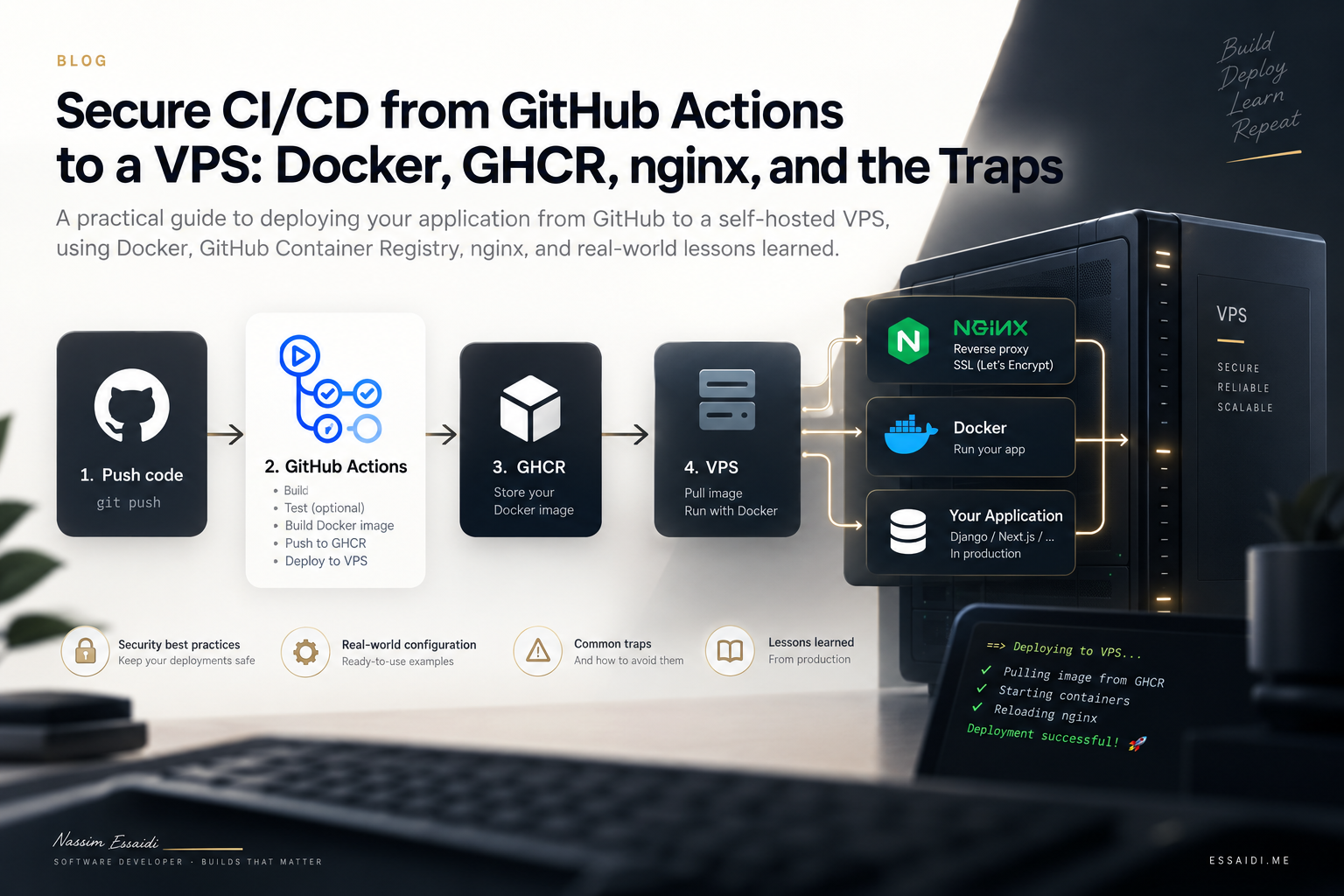
This is the pipeline I wish I had written down before the first production deploy: GitHub Actions runs tests, builds a Docker image, pushes it to GitHub Container Registry, SSHs into a VPS, and rolls the stack with Compose. The VPS already serves other sites on ports 80 and 443, so the new API cannot steal those ports.
The sample app is Harbor, a fictional Django REST API that powers a public product catalog. Postgres, Redis, Celery, Gunicorn, and nginx. Nothing about its business rules matters. The same shape works for any API you do not want sitting on the public internet as a raw :8000.
What this post is not
What you are assembling
Loading diagram…
Diagram source
flowchart TD
  accTitle: Harbor CI/CD and request routing
  accDescr: GitHub Actions tests the code, builds and pushes an image to GHCR, then deploys over SSH. The VPS pulls images, runs the release step, starts services, and checks application health. Host nginx routes public HTTPS requests to loopback-only services.

  developer["Developer: git push"] --> tests["GitHub Actions: pytest"]
  tests --> build["Build and push Docker image"]
  build -->|Store image tagged by git SHA| registry["GitHub Container Registry"]
  build -->|After successful push| deploy["GitHub Actions: SSH deploy"]
  deploy --> script

  subgraph vps["VPS"]
    script["scripts/deploy.sh"] --> pull["Docker Compose: pull images"]
    pull --> dependencies["Start Postgres and Redis"]
    dependencies --> release["Run release step"]
    release --> services["Start application services"]
    services --> health["Wait for application health check"]

    services -.->|Manages| nginx["Compose nginx: 127.0.0.1:18080"]
    services -.->|Manages| api["Gunicorn: 127.0.0.1:18100"]
    services -.->|Manages| celery["Celery worker and beat"]

    host["Host nginx: TLS on ports 80/443"]
    host -->|/static/ and /media/| nginx
    host -->|API and admin requests| api
  end

  registry -->|Image download| pull
  browser["Browser: HTTPS to api.harbor.example"] --> host
Three ideas keep this from turning into "Docker published 80 and broke WordPress":
- CI never deploys a failing test suite. Deploy is a second workflow (or a later job) that
needs: test. - The VPS pulls images. It does not build them. Builds happen on GitHub runners, tagged by git SHA, stored on GHCR.
- Host nginx owns the public ports. Compose binds Gunicorn and an inner nginx to loopback only (
127.0.0.1), so nothing extra is reachable from the internet.
Why loopback, not 0.0.0.0
0.0.0.0:8000:8000 is convenient and wrong on a shared VPS. Anyone who can hit the box on that port skips TLS, skips your vhost, and talks to Gunicorn directly. Bind 127.0.0.1:18100:8000 and let host nginx be the only public entry.Repo layout that survives production
Keep a dev Compose file that builds locally, and a prod Compose file that only references registry images:
- ./
- DockerfileMulti-stage, non-root image
- docker-compose.ymlLocal build
- docker-compose.prod.ymlUses ${IMAGE}:${IMAGE_TAG}
- .env.exampleCommitted placeholders
- .env.prod.exampleProduction configuration template, no secrets
- nginx/
- default.confInternal Compose nginx
- host.api.harbor.example.confHost nginx configuration
- scripts/
- deploy.shVPS deployment script
- .github/
- workflows/
- ci.ymlContinuous integration
- deploy.ymlProduction deployment
.env.prod lives only on the VPS (chmod 600). GitHub stores SSH and registry secrets. The image does not contain production passwords.GitHub Actions: split CI from deploy
CI on every PR
Keep CI dumb and fast. For Django, the runner often has no Postgres: use the project's test settings (SQLite, eager Celery) so pytest does not need the prod stack.
# .github/workflows/ci.yml
name: CI

on:
  push:
    branches: [main, master]
  pull_request:

concurrency:
  group: ci-${{ github.workflow }}-${{ github.ref }}
  cancel-in-progress: true

jobs:
  test:
    runs-on: ubuntu-latest
    steps:
      - uses: actions/checkout@v4
      - uses: actions/setup-python@v5
        with:
          python-version: "3.12"
          cache: pip
          cache-dependency-path: requirements-dev.txt
      - run: pip install -r requirements-dev.txt
      - name: Provide Django env
        run: cp .env.example .env
      - run: pytest
SECRET_KEY in CI
SECRET_KEY. If tests import settings, copy .env.example (or export a dummy key) before pytest. The failure looks like a mysterious "ImproperlyConfigured" on a green local machine that already has .env.Deploy only from the default branch
# .github/workflows/deploy.yml
name: Deploy

on:
  push:
    branches: [master]
  workflow_dispatch:

concurrency:
  group: deploy-production
  cancel-in-progress: false   # never abort a live rollout mid-migrate

permissions:
  contents: read
  packages: write             # GITHUB_TOKEN can push to GHCR

env:
  REGISTRY: ghcr.io
  IMAGE_NAME: ${{ github.repository }}
Then three jobs in order: test → build-and-push → deploy.
cancel-in-progress
collectstatic, and compose up. Set cancel-in-progress: false and a single concurrency group for production.Push to GHCR
GitHub Container Registry wants a lowercase image name. github.repository can include capitals; Docker will reject the tag.
- name: Set image name (lowercase)
  run: echo "IMAGE=${REGISTRY}/${IMAGE_NAME,,}" >> "$GITHUB_ENV"

- uses: docker/login-action@v3
  with:
    registry: ${{ env.REGISTRY }}
    username: ${{ github.actor }}
    password: ${{ secrets.GITHUB_TOKEN }}

- uses: docker/build-push-action@v6
  with:
    context: .
    file: Dockerfile
    push: true
    tags: |
      ${{ env.IMAGE }}:${{ github.sha }}
      ${{ env.IMAGE }}:latest
Tag both the SHA (what you actually run) and latest (what humans type when debugging). Deploy should set IMAGE_TAG to the SHA, not latest, so a rollback is "previous SHA" instead of a race on the moving tag.
Secrets: what belongs where
| Secret | Where | Purpose |
|---|---|---|
VPS_HOST, VPS_USER, VPS_PORT | GitHub Actions | SSH target |
VPS_SSH_KEY | GitHub Actions | Dedicated deploy key, not your laptop key |
VPS_KNOWN_HOSTS | GitHub Actions | Output of ssh-keyscan from a trusted machine |
GITHUB_TOKEN | Automatic | Push images in the same repo (with packages: write) |
| GHCR pull token | VPS ~/.docker or deploy step | Only if the image is private |
SECRET_KEY, DB password, SMTP password | VPS .env.prod | Never in GitHub if the app reads them on the box |
Do not reuse your laptop SSH key
ci_deploy_ed25519, put only that public key in authorized_keys on the VPS, and restrict it to the deploy user.Known hosts: generate them on the VPS
ssh-keyscan from Windows OpenSSH has bitten me: the host key format did not match what the Linux runner expected, and the job either failed StrictHostKeyChecking or silently disabled it.
On the VPS (or any Linux box that can reach it):
ssh-keyscan -p 22 YOUR.VPS.IPPaste the full lines into the VPS_KNOWN_HOSTS secret. In the workflow:
- name: Configure SSH
  run: |
    mkdir -p ~/.ssh
    printf '%s\n' "${{ secrets.VPS_SSH_KEY }}" > ~/.ssh/deploy_key
    chmod 600 ~/.ssh/deploy_key
    printf '%s\n' "${{ secrets.VPS_KNOWN_HOSTS }}" >> ~/.ssh/known_hosts
    chmod 644 ~/.ssh/known_hosts
Use StrictHostKeyChecking=yes. Turning it off "just for CI" is how you accept a poisoned DNS record.
GHCR pull permissions (private images)
Fine-grained PATs cannot pull packages
docker login ghcr.io. A fine-grained personal access token, even with every repository permission ticked, often cannot pull packages. You need a classic PAT with only read:packages, or (better) the job's GITHUB_TOKEN during deploy plus packages: read if you log in from the runner before SSH, or login on the VPS using that same short-lived token in the SSH session.The pattern that avoids storing a long-lived PAT on the disk:
# inside the SSH script, using the job token
echo "$GITHUB_TOKEN" | docker login ghcr.io -u "$GH_ACTOR" --password-stdin
GITHUB_TOKEN expires when the job ends. The VPS does not keep a human PAT in ~/.docker/config.json from a chat message.
Tokens in chat are live secrets
The SSH deploy step
Keep the YAML thin. The VPS script does the Compose work.
- name: Deploy over SSH
  env:
    VPS_HOST: ${{ secrets.VPS_HOST }}
    VPS_USER: ${{ secrets.VPS_USER }}
    VPS_PORT: ${{ secrets.VPS_PORT }}
    GIT_SHA: ${{ github.sha }}
    GHCR_IMAGE: ${{ env.IMAGE }}
    GITHUB_TOKEN: ${{ github.token }}
    GH_REPO: ${{ github.repository }}
    GH_ACTOR: ${{ github.actor }}
  run: |
    port="${VPS_PORT:-22}"
    ssh -i ~/.ssh/deploy_key -o StrictHostKeyChecking=yes -p "$port" \
      "${VPS_USER}@${VPS_HOST}" \
      "set -euo pipefail
       cd /srv/apps/harbor-api
       git -c credential.helper= fetch \
         'https://x-access-token:${GITHUB_TOKEN}@github.com/${GH_REPO}.git' \
         master
       git reset --hard FETCH_HEAD
       echo '${GITHUB_TOKEN}' | docker login ghcr.io -u '${GH_ACTOR}' --password-stdin
       export IMAGE='${GHCR_IMAGE}'
       export IMAGE_TAG='${GIT_SHA}'
       ./scripts/deploy.sh"
HTTPS clones vs SSH clones
git pull will hang on credentials. Fetching with the job's x-access-token into FETCH_HEAD and reset --hard avoids storing a second GitHub password on the box. If you cloned with SSH, a read-only deploy key on the repo is cleaner — still not your laptop key.deploy.sh should:
- Refuse to run without
.env.prod - Export
IMAGE/IMAGE_TAG(Compose does not read those fromenv_file) - Pull images
- Run a one-shot
releasecontainer: migrate + collectstatic up -dthe long-running services- Wait until
webis healthy, then prune dangling images
Docker Compose: the landmines
env_file vs interpolation
This is the bug that ate the most hours.
env_file: .env.prodinjects variables into the container. Values are passed through. A$inSECRET_KEYstays a$.${DB_PASS}in the Compose YAML is interpolated by Compose before the container starts, using the shell and a.envfile in the project directory.$uz8kinside a secret becomes "variableuz8kis not set".
# BAD — Compose eats $ inside the password
environment:
  POSTGRES_PASSWORD: ${DB_PASS}

# GOOD — Postgres reads POSTGRES_PASSWORD from env_file as a literal
env_file:
  - .env.prod
environment:
  POSTGRES_DB: ${DB_NAME:-harbor}
  POSTGRES_USER: ${DB_USER:-harbor}
  # password is NOT listed here
Put both DB_PASS and POSTGRES_PASSWORD in .env.prod, identical character-for-character (including $). Postgres only honors POSTGRES_PASSWORD on first volume init. If you booted the volume with a stripped password, you will fight auth errors until you dump that volume (and lose data) or change the role inside Postgres.
Never source .env.prod in bash
source .env.prod will:
- split APP_DISPLAY_NAME=Harbor Catalog on the space (Catalog: command not found)
- expand $ in SECRET_KEY and DB_PASS
- export secrets into your shell history adjacent commands
Read only the keys Compose must interpolate (IMAGE, IMAGE_TAG, DB_NAME, DB_USER) with grep, not source.IMAGE is not in the container env_file
x-app-image: &app_image ${IMAGE}:${IMAGE_TAG}That substitution happens on the host when you run docker compose. If you SSH in and type docker compose -f docker-compose.prod.yml up -d web with no exports, you get:
WARN The "IMAGE" variable is not set. Defaulting to a blank string.
unable to get image ':': invalid reference format
Always:
export IMAGE="$(grep -E '^IMAGE=' .env.prod | tail -1 | cut -d= -f2-)"
export IMAGE_TAG="$(grep -E '^IMAGE_TAG=' .env.prod | tail -1 | cut -d= -f2-)"
docker compose -f docker-compose.prod.yml up -d --force-recreate --no-deps web celery_worker
restart vs recreate
docker compose restart does not reload env_file. Changing DEFAULT_FROM_EMAIL and restarting is a no-op. You need --force-recreate.Do not bind 80/443 in Compose
On a VPS whose host nginx already terminates TLS for other vhosts, Compose nginx should be:
nginx:
  image: nginx:alpine
  ports:
    - "127.0.0.1:18080:80"
Gunicorn:
web:
  ports:
    - "127.0.0.1:18100:8000"
Pick loopback ports that are free. 18000 is a popular default and is often already taken.
One-shot migrate container
Do not let web, celery_worker, and celery_beat each run migrate on startup. Race. Run a release service with restart: "no" that migrate + collectstatic, and depends_on: release: condition: service_completed_successfully on the workers.
Healthchecks behind Django security settings
Production Django often has ALLOWED_HOSTS = ["api.harbor.example"] and SECURE_SSL_REDIRECT = True. A healthcheck of http://localhost:8000/ then returns 400 (wrong Host) or 301 (HTTP→HTTPS). Compose marks the container unhealthy forever.
Send the headers the real proxy sends:
healthcheck:
  test:
    [
      "CMD-SHELL",
      "python -c \"import http.client,sys; c=http.client.HTTPConnection('127.0.0.1',8000,timeout=4); c.request('GET','/admin/login/',headers={'Host':'api.harbor.example','X-Forwarded-Proto':'https'}); r=c.getresponse(); sys.exit(0 if r.status==200 else 1)\"",
    ]
TLS, two nginx hops, and the redirect loop
The failure mode: browser shows ERR_TOO_MANY_REDIRECTS.
Cause: two proxies both "helpfully" set X-Forwarded-Proto.
- Host nginx (TLS) should set
X-Forwarded-Proto $schemeonce. - If you also set
X-Forwarded-Proto $http_x_forwarded_protoand the incoming header is empty, Django sees HTTP and 301s to HTTPS, forever.
Worse: if host nginx proxies everything to compose nginx, and compose nginx proxies to Gunicorn, Django still sees a hop. SECURE_SSL_REDIRECT plus a missing proto header is a loop.
The split that stayed stable:
| Path | Upstream |
|---|---|
/ API and admin | Gunicorn 127.0.0.1:18100 (one hop) |
/static/ and /media/ | Compose nginx 127.0.0.1:18080 |
location /static/ {
    proxy_pass http://127.0.0.1:18080;
    proxy_set_header Host $host;
}

location / {
    proxy_pass http://127.0.0.1:18100;
    proxy_set_header Host $host;
    proxy_set_header X-Real-IP $remote_addr;
    proxy_set_header X-Forwarded-For $proxy_add_x_forwarded_for;
    proxy_set_header CF-Connecting-IP $http_cf_connecting_ip;
    proxy_set_header X-Forwarded-Proto $scheme;
}
Django:
SECURE_PROXY_SSL_HEADER = ("HTTP_X_FORWARDED_PROTO", "https")Do not set proto twice
X-Forwarded-Proto from $http_x_forwarded_proto and from $scheme, Django uses the first value. An empty first value is HTTP. Loop.Static files 404 next to a working admin HTML page
If STATIC_URL is the relative string static/ instead of /static/, the browser requests /admin/static/.... Gunicorn then serves HTML 404s. Fix STATIC_URL = "/static/", collectstatic into the volume compose nginx serves, and point /static/ at 18080, not Gunicorn.
Cloudflare in front of origin
- DNS only (grey cloud) while you run certbot against the VPS. Orange-cloud will hide the origin and certbot HTTP-01 will fail unless you use DNS-01.
- After the cert exists, you can orange-cloud. SSL mode must be Full (strict) — "Flexible" makes Cloudflare speak HTTPS to the visitor and HTTP to origin, which with
SECURE_SSL_REDIRECTis another redirect loop.
Client IPs: why audit logs show 172.22.0.1
Gunicorn's REMOTE_ADDR is the last TCP hop. That is the Docker bridge or 127.0.0.1, not the visitor.
If you log request.META["REMOTE_ADDR"], every sign-in looks internal. Read, in order:
CF-Connecting-IP(only trustworthy when Cloudflare actually sits in front)X-Real-IPif it is not RFC1918- The first non-private address in
X-Forwarded-For REMOTE_ADDRas fallback
And do not let compose nginx overwrite X-Real-IP with $remote_addr (the bridge). Pass $http_x_real_ip through.
Python's ipaddress.IPv4Address.is_private is broader than RFC1918 — documentation ranges like 203.0.113.0/24 count as private. If you skip "private" blindly, tests and some CGNAT clients look like the bridge again.
Outbound email
SMTP can be "working" and still refuse every message:
SMTPDataError: (550, b'The example.com domain is not verified.')Resend (and most providers) verify a specific domain or subdomain. Verifying mail.example.com does not authorize no-reply@example.com. Set DEFAULT_FROM_EMAIL to an address on the verified name, recreate the workers, retry. Failed Celery tasks do not magically resend.
Password-reset mail in Django is often sent by Gunicorn during the request. Application / notification mail may go through Celery. Check docker compose logs web and celery_worker. The API returning 200 on "forgot password" does not mean an email exists — unknown addresses are silent by design.
GitHub / Docker security checklist
- Repository is private if the image or compose files leak internal hosts.
permissions:on the deploy workflow is least privilege (contents: read,packages: write). Do not usecontents: writeunless you tag releases.GITHUB_TOKENis not grantedid-tokenoractions: write"just in case.".dockerignoreexcludes.env,.env.prod,*.pem,id_rsa,.git.- Dockerfile is multi-stage, runs as a non-root
appuser, and does not leave compilers in the runtime image. - Dependabot or a scheduled
trivyscan onghcr.io/you/harbor-api:latest. - Branch protection: deploy workflow cannot be skipped by pushing
--no-verifyto a laptop; require the CI job on PRs. - No
pull_request_targetwith checkout of untrusted code and secrets. That combo is a classic injection. - Actions pinned by SHA if you want supply-chain extra credit; at least stay on current major tags and watch github.blog advisories.
workflow_dispatch is production
master, and treat dispatch like a push.A field guide to errors you will actually see
| Symptom | Likely cause |
|---|---|
ImproperlyConfigured: SECRET_KEY in CI | Forgot cp .env.example .env |
invalid reference format / image : | IMAGE/IMAGE_TAG not exported on the VPS |
The "uz8k" variable is not set | $ in a secret interpolated by Compose or source |
Postgres password authentication failed | Volume created with a truncated POSTGRES_PASSWORD |
| Healthcheck unhealthy, site works | Healthcheck missing Host / X-Forwarded-Proto |
ERR_TOO_MANY_REDIRECTS | Proto header empty or set twice; or Cloudflare Flexible |
| Admin CSS 404 | STATIC_URL relative, or /static/ proxied to Gunicorn |
Audit IP 172.16.x.x / 172.22.0.1 | Logged REMOTE_ADDR instead of forwarded headers |
| SMTP 550 domain not verified | From-address not on the verified Resend domain |
denied: denied GHCR pull | Fine-grained PAT, or missing read:packages |
| Host key verification failed | VPS_KNOWN_HOSTS from the wrong OS/tool |
| Email never arrives, HTTP 200 | Unknown user, or Celery worker down |
New .env.prod value ignored | restart instead of --force-recreate |
Tests fail: action='store_true' is not an audit event | Source scanner matched argparse; keep action= literals out of comments |
Minimal deploy.sh shape
#!/usr/bin/env bash
set -euo pipefail
cd "$(dirname "$0")/.."

[[ -f .env.prod ]] || { echo "Missing .env.prod"; exit 1; }

IMAGE="${IMAGE:-ghcr.io/you/harbor-api}"
IMAGE_TAG="${IMAGE_TAG:-latest}"
export IMAGE IMAGE_TAG

while IFS='=' read -r key value; do
  case "$key" in
    DB_NAME|DB_USER)
      printf -v "$key" '%s' "$value"
      export "$key"
      ;;
  esac
done < <(grep -E '^(DB_NAME|DB_USER)=' .env.prod)

COMPOSE=(docker compose -f docker-compose.prod.yml)

"${COMPOSE[@]}" pull release web celery_worker celery_beat
"${COMPOSE[@]}" up -d db redis
"${COMPOSE[@]}" rm -sf release 2>/dev/null || true
"${COMPOSE[@]}" up --abort-on-container-exit --exit-code-from release release
"${COMPOSE[@]}" up -d --remove-orphans

deadline=$((SECONDS + 180))
web_id="$("${COMPOSE[@]}" ps -q web)"
while (( SECONDS < deadline )); do
  status="$(docker inspect --format='{{.State.Health.Status}}' "$web_id" 2>/dev/null || echo starting)"
  if [[ "$status" == "healthy" ]]; then
    docker image prune -f
    exit 0
  fi
  sleep 3
done
echo "web was not healthy in time" >&2
"${COMPOSE[@]}" ps
exit 1
What I would do on a greenfield VPS tomorrow
- Create a sudo user, SSH keys only, disable password auth (I wrote about the baseline in Important Configurations When You Launch Your Cloud Server).
- Install Docker Engine + Compose plugin. Do not install a second nginx in Compose on 80/443 if host nginx already exists.
- Add a vhost, certbot on grey-cloud DNS, then optionally orange-cloud with Full (strict).
- Copy
.env.prod.example→.env.prod, generate secrets on the box,chmod 600. - Put GitHub secrets in (host, user, port, deploy key, known_hosts).
- Push to
master, watch test → GHCR → SSH, thencurl -I https://api.harbor.example/admin/login/. - Only then point the frontend
NEXT_PUBLIC_API_URLat that origin.
The pipeline is boring when it works: a SHA in GHCR, a loopback port, one TLS terminator, secrets that never crossed a chat window. The un-boring part is always the same list: $ in Compose, the wrong X-Forwarded-Proto, a PAT that cannot pull packages, and a healthcheck that probes localhost without a Host header.
If you steal one habit from this post, steal this: treat the VPS as a pull agent, not a build server, and treat GitHub as a builder, not a place to store database passwords.
Related posts
Docker Best Practices for 2024
Essential Docker tips and best practices for building secure, efficient, and maintainable container images.
Jan 5, 2024 · 4 min read